
Chronological Resume FormatExamples, Structure & Templates
A reverse-chronological resume puts your career history front and center, starting with your most recent position and working backward. Its familiar, easy-to-scan structure makes it a popular choice among recruiters and a reliable option for ATS-friendly resumes.
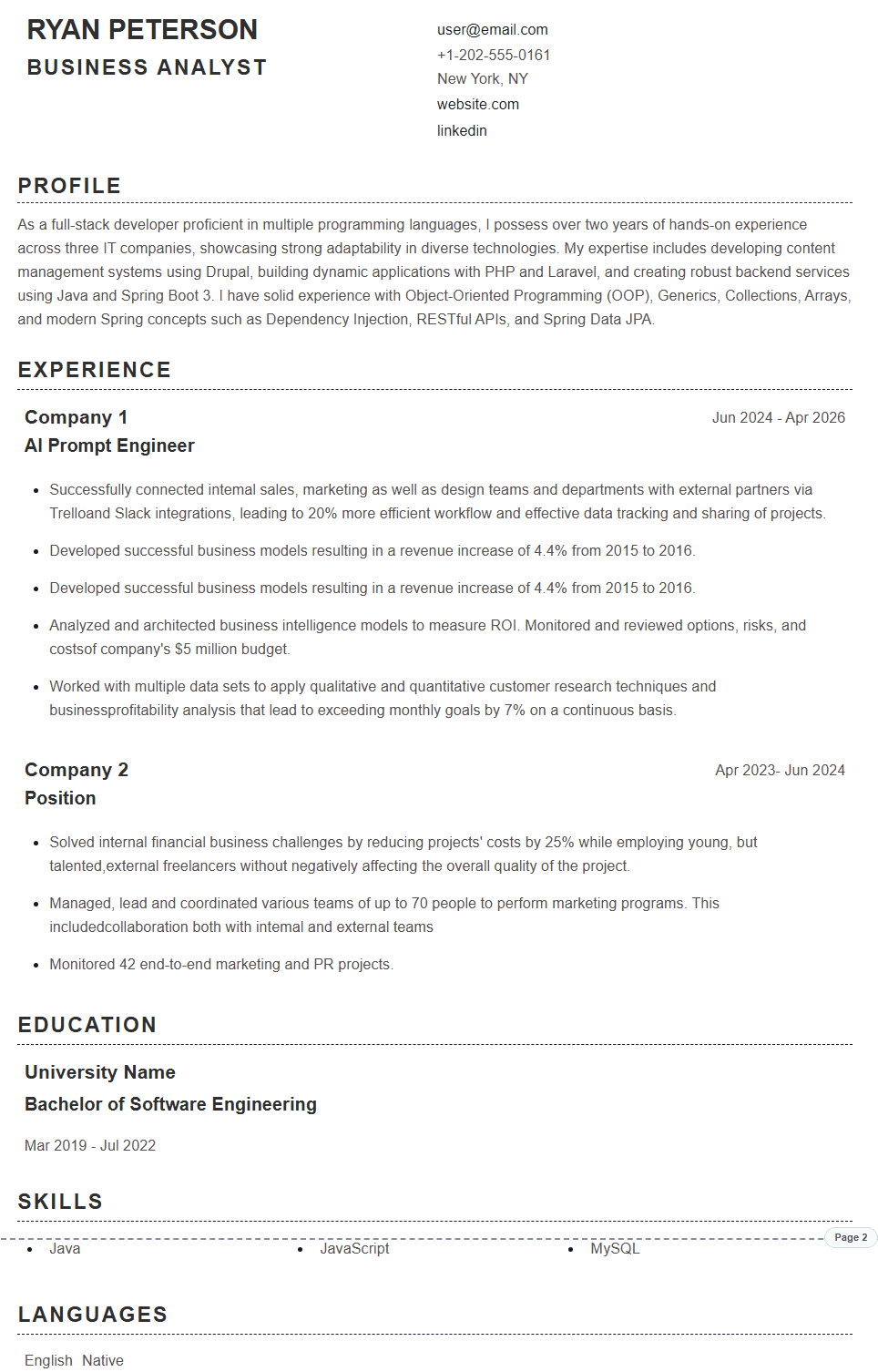
What Is a Chronological Resume?
A chronological resume is one of the most widely used resume formats. It presents your work experience in reverse chronological order, starting with your most recent role and moving backward through your career history. Also known as a reverse-chronological resume, this format highlights your professional growth by showing how your responsibilities, skills, and achievements have developed over time. A chronological CV uses the same newest-to-oldest logic when the document is serving a resume-style job application. Many recruiters and hiring managers prefer chronological resumes because they provide a clear overview of your career path and make it easy to understand your experience, progression, and qualifications.
When to Use a Chronological Resume
Experienced Professionals
A chronological resume for experienced professionals works well when recent roles, promotions, and achievements already tell the strongest story.
Demonstrate Career Progression
Show promotions, increased responsibilities, and professional growth by presenting your experience from newest to oldest.
Traditional Industries
Commonly used in fields like finance, law, healthcare, education, and other established industries.
When to Avoid a Chronological Resume
Career Changers
May not be the best option when switching industries because it focuses heavily on your previous work history.
Significant Employment Gaps
Long gaps between positions can become more noticeable when your experience is displayed in timeline order.
Frequent Job Changes
Multiple short-term roles may distract from your skills and achievements if they are not presented carefully.
Recent Graduates
A chronological resume for students can work when internships and part-time roles are relevant, but education and projects may deserve more space when professional experience is limited.
How to Write a Chronological Resume
Follow these steps to create a clear and effective chronological resume.
Start with Your Most Recent Role
List your current or latest position first, including the company name, location, employment dates, and key responsibilities.
Continue in Reverse Order
Add previous roles by moving backward through your career history and focus on your most important responsibilities and accomplishments.
Highlight Measurable Achievements
Include specific results, numbers, and metrics to demonstrate the impact you made in previous roles.
Optimize for ATS Systems
Use clear headings, relevant keywords, and a simple layout to help applicant tracking systems easily scan your resume.
Common Chronological Resume Structure
A chronological resume follows a clear structure that highlights your work history and career progression.
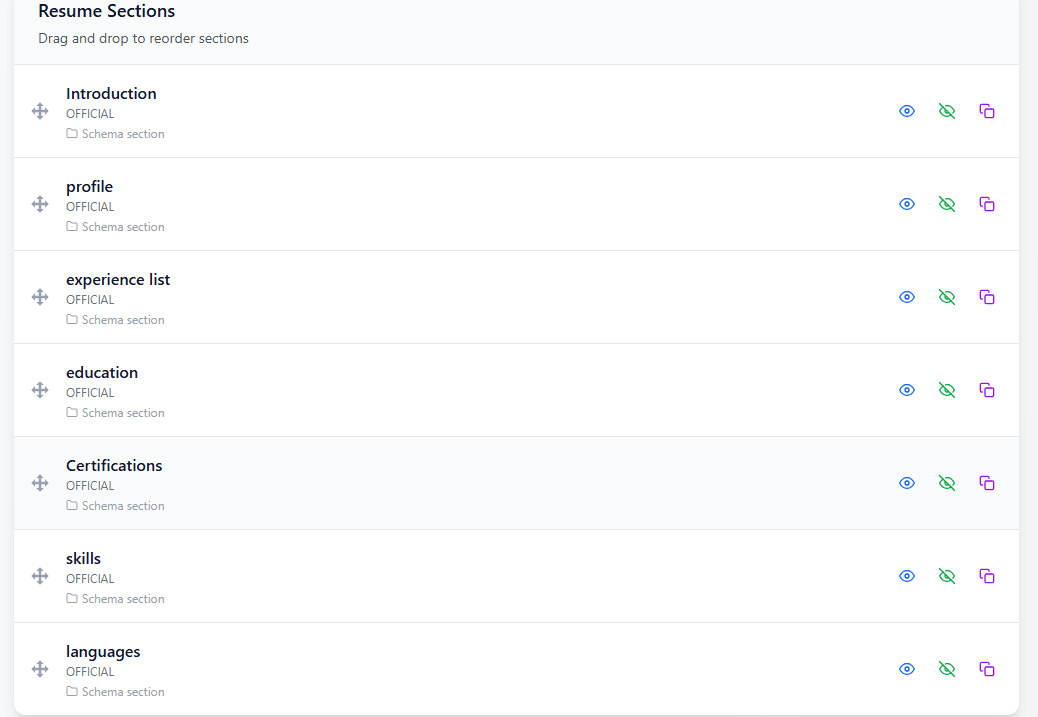
Section Order
Tips for Creating a Chronological Resume
Focus on Achievements
Use strong action verbs and measurable results to show the value you delivered in previous roles.
Tailor Each Application
Customize your resume for each job opportunity by matching relevant skills and keywords from the job description.
Keep Dates Consistent
Use the same date format throughout your resume to maintain a clean and professional appearance.
Chronological vs Other Resume Formats
| Feature | Feature | Chronological | Functional | Combination |
|---|---|---|---|---|
| Best For | Experienced Professionals | Career Changers or Skill-Focused Candidates | Candidates Balancing Skills and Experience | |
| Main Focus | Work History | Skills and Abilities | Skills + Work Experience | |
| ATS Compatibility | Generally ATS-Friendly | Depends on Structure | Generally ATS-Friendly |
Frequently Asked Questions
1Is a chronological resume a good choice?
It is often a strong choice for professionals with a consistent work history because it clearly presents career progression and uses a structure that is familiar to recruiters.
2What is the difference between chronological and reverse chronological resumes?
They refer to the same format. Reverse chronological is the more precise term because work experience is listed from the newest position to the oldest.
3How far back should a chronological resume go?
Most resumes include around 10 to 15 years of relevant experience. Older positions can be shortened or removed if they are not related to your target role.
4Are chronological resumes ATS-friendly?
Yes. Chronological resumes are generally ATS-friendly when they use clear headings, standard formatting, relevant keywords, and a simple structure.
5Can students use a chronological resume?
Yes. Students and recent graduates can use this format if they have internships, projects, volunteer work, or part-time experience to include.
6When should I use a chronological resume?
Use it when the timeline itself is useful evidence: your recent work is relevant, dates are clear, and progression helps the employer understand your fit. The main chronological resume advantage is immediate career context; a disadvantage is that gaps or unrelated recent roles can receive more attention than transferable skills.
7Do I need a chronological resume template?
No specific template is required. Choose a design with a clear reverse chronological resume format, readable dates, standard headings, and enough space for your strongest recent achievements.
Still have questions? Contact our support team
All Resume Formats
Explore all resume formats supported by PortCV. Each format is designed for specific career situations and goals.
Chronological Resume Format
The most common format that highlights your work experience in reverse chronological order.
Functional Resume Format
Focuses on skills and achievements rather than employment history.
Combination Resume Format
Blends skills and professional experience for a balanced approach.
Academic Resume Format
Designed for students, researchers, and academics with emphasis on education and research.
Creative Resume Format
Allows for unique layouts and typography, perfect for designers and artists.
Google Docs Resume Format
Optimized for creating and editing resumes in Google Docs.
Build Your Resume for Free
Ready to Create Your Chronological Resume?
Create a professional, ATS-friendly chronological resume with PortCV. Highlight your career progression, showcase your achievements, and choose from professionally designed resume templates.