
Google Docs Resume FormatExamples, Structure & Templates
A Google Docs resume is a professional resume created and formatted in Google Docs, making it easy to edit, share, collaborate on, and export as a PDF. Its simple document-based structure can also support clean, ATS-friendly resume layouts.

What Is a Google Docs Resume?
A Google Docs resume is a resume created using Google Docs, Google's web-based word processing application. It provides a familiar document editor that allows candidates to create, update, share, and export their resumes from almost any device. Google Docs resumes are popular because they are easy to edit and share, and they can be created using simple professional layouts without specialized design software. When built with clear headings, readable typography, consistent spacing, and a straightforward structure, a Google Docs resume can be effective for both recruiters and applicant tracking systems.
When to Use a Google Docs Resume
Frequently Updated Resumes
Ideal for candidates who regularly update their experience, skills, projects, or achievements and want an easy-to-edit resume document.
Collaborative Editing
Useful when you want a mentor, recruiter, career advisor, or colleague to review your resume and provide suggestions or edits.
Cloud-Based Access
A convenient choice for candidates who want to access and update their resume from different computers or devices without carrying a local file.
When to Avoid a Google Docs Resume
Highly Visual Resume Designs
Google Docs may not be the best choice when you need advanced graphic design, complex visual layouts, or highly customized creative elements.
Automated Resume Creation
A dedicated resume builder can be more efficient when you want automated formatting, reusable templates, AI assistance, and fast design changes.
Complex Layouts
Avoid overly complicated tables, floating elements, graphics, and unusual formatting that can make the document harder to maintain or parse.
Multiple Resume Versions
Managing many customized versions manually can become time-consuming when applying to different roles with different requirements.
How to Create a Resume in Google Docs
Follow these steps to create a clean, professional Google Docs resume that is easy to edit, share, and submit.
Choose a Simple Layout
Start with a clean structure that gives recruiters an easy way to scan your name, summary, skills, experience, and education.
Add Your Professional Information
Include your name, professional title, contact information, location, and relevant online profiles such as LinkedIn or a portfolio.
Organize Your Experience
Present your relevant work experience in reverse chronological order and focus each position on responsibilities, achievements, and measurable results.
Use Standard Section Headings
Use familiar headings such as Summary, Skills, Experience, Education, and Certifications so both recruiters and ATS systems can identify your information easily.
Export as PDF
Review the final document carefully and export it as a PDF when the job application instructions request a PDF resume.
Google Docs Resume Structure
A Google Docs resume works best with a simple document structure that keeps important information organized and easy to scan.
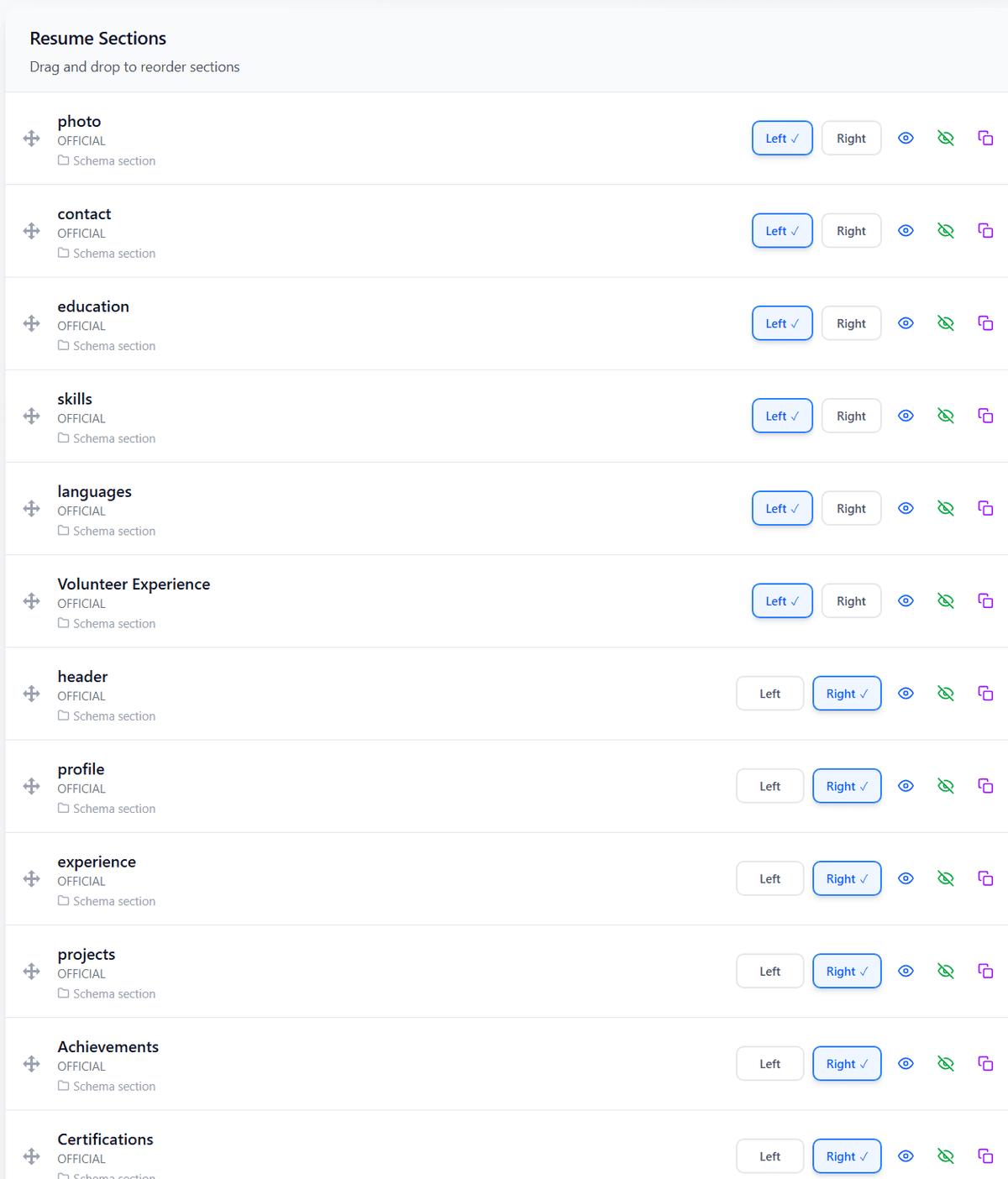
Section Order
Tips for Creating a Google Docs Resume
Keep the Layout Simple
Use clear spacing, readable fonts, consistent margins, and a straightforward structure instead of unnecessary visual elements.
Make It Easy to Scan
Use strong section headings, concise bullet points, and clear hierarchy so recruiters can quickly identify your most important qualifications.
Keep It ATS-Friendly
Avoid excessive graphics, text inside images, complicated layouts, and decorative elements that could interfere with automated resume parsing.
Google Docs vs Other Resume Formats
| Feature | Feature | Traditional | Creative | Google Docs |
|---|---|---|---|---|
| Best For | Professional Applications | Creative and Design-Focused Roles | Easy Editing and Sharing | |
| Main Strength | Clear Professional Structure | Visual Presentation | Accessibility and Collaboration | |
| Ease of Editing | High | Moderate | Very High | |
| ATS Compatibility | Generally ATS-Friendly | Depends on Design | Generally ATS-Friendly |
Frequently Asked Questions
1What is a Google Docs resume?
A Google Docs resume is a resume created and formatted using Google Docs. It can be edited online, shared with others, and exported as a PDF for job applications.
2Are Google Docs resumes ATS-friendly?
Yes. A Google Docs resume can be ATS-friendly when it uses a simple layout, standard section headings, readable text, relevant keywords, and minimal graphics or complex formatting.
3Is Google Docs good for making a resume?
Yes. Google Docs is useful for creating simple professional resumes because it is easy to edit, accessible from multiple devices, and supports sharing and PDF export.
4Should I send my Google Docs resume as a PDF?
Usually, yes, when the employer requests a PDF. Exporting the resume as a PDF helps preserve the intended formatting across different devices and applications.
5Can I use a Google Docs resume for any job?
You can use one for many types of jobs, but the design should match the role. Simple layouts are generally safer for traditional and ATS-heavy applications, while creative roles may benefit from more visually distinctive formats.
6Is a Google Docs resume better than a resume builder?
Google Docs provides flexibility and easy collaboration, while dedicated resume builders can offer specialized templates, automated formatting, AI assistance, and faster customization for different applications.
Still have questions? Contact our support team
All Resume Formats
Explore all resume formats supported by PortCV. Each format is designed for specific career situations and goals.
Chronological Resume Format
The most common format that highlights your work experience in reverse chronological order.
Functional Resume Format
Focuses on skills and achievements rather than employment history.
Combination Resume Format
Blends skills and professional experience for a balanced approach.
Academic Resume Format
Designed for students, researchers, and academics with emphasis on education and research.
Creative Resume Format
Allows for unique layouts and typography, perfect for designers and artists.
Google Docs Resume Format
Optimized for creating and editing resumes in Google Docs.
Build Your Resume for Free
Ready to Create Your Resume?
Create a professional, ATS-friendly resume with PortCV. Choose a polished template, customize your content, and build a resume that is ready to share and export.