
Simple Resume FormatExamples, Structure & Templates
A simple resume format uses a clean layout, straightforward sections, readable typography, and minimal visual elements to present your qualifications clearly. It helps recruiters quickly find your experience, skills, education, and achievements without unnecessary design distractions.

What Is a Simple Resume?
A simple resume is a straightforward resume format designed to communicate your qualifications clearly without relying on complex layouts, excessive graphics, or decorative design elements. It typically uses readable typography, consistent spacing, standard section headings, and a logical structure that allows recruiters to scan important information quickly. Simple resumes are a reliable choice for a wide range of industries and can be particularly effective when clarity, professionalism, and ATS compatibility are more important than visual creativity.
When to Use a Simple Resume
Most Professional Applications
A strong general-purpose option for candidates who want a clear and professional resume that works across a wide range of roles and industries.
ATS-Focused Applications
Useful when applying through applicant tracking systems where straightforward formatting and clearly organized content can make information easier to parse.
Content-Focused Resumes
Ideal when your experience, skills, achievements, and qualifications are more important than visual design or creative presentation.
When to Avoid a Simple Resume
Design-Focused Roles
A more creative or visually distinctive resume may be better when your design abilities and visual communication skills are part of what you are being hired to demonstrate.
Strong Personal Branding
A branded or modern resume may provide more opportunities to communicate a distinctive professional identity through typography, color, and visual elements.
Portfolio-Driven Applications
Some creative applications may benefit from a resume that visually complements the candidate's portfolio and demonstrates their design approach.
Highly Competitive Creative Roles
In visually competitive industries, a highly polished design can sometimes help an application stand out more than a strictly minimal presentation.
How to Create a Simple Resume
Follow these steps to create a clean and professional resume that communicates your qualifications quickly and effectively.
Choose a Clean Layout
Use a straightforward structure with consistent margins, spacing, alignment, and readable typography so every section is easy to scan.
Write a Focused Summary
Briefly explain your professional background, strongest qualifications, and the value you can bring to the target position.
Organize Your Experience
List relevant positions in reverse chronological order and use concise bullet points to describe responsibilities, achievements, and measurable results.
Highlight Relevant Skills
Include the technical, professional, and transferable skills that are most relevant to the position instead of creating an unnecessarily long skills list.
Remove Unnecessary Elements
Review your resume and remove excessive graphics, decorative elements, redundant information, and long paragraphs that do not strengthen your application.
Simple Resume Structure
A simple resume uses a familiar professional structure that keeps your most important qualifications easy to find and understand.
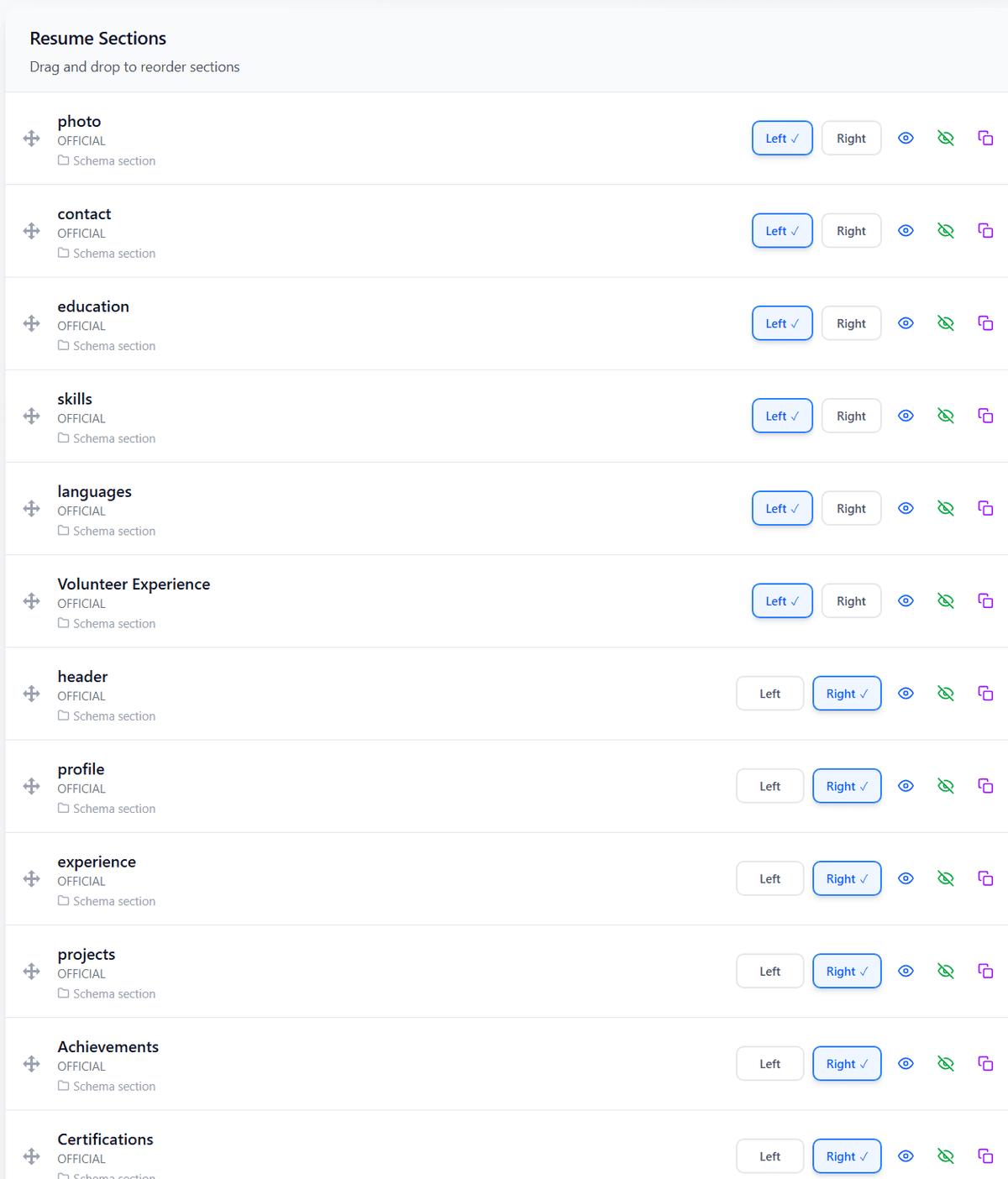
Section Order
Tips for Creating a Simple Resume
Make It Easy to Scan
Use clear headings, concise bullet points, consistent spacing, and strong visual hierarchy so recruiters can find important information quickly.
Focus on Achievements
Prioritize measurable accomplishments and meaningful results instead of filling the resume with long lists of routine responsibilities.
Keep It ATS-Friendly
Use standard headings, readable text, relevant keywords, and a straightforward layout that applicant tracking systems can process reliably.
Simple vs Other Resume Formats
| Feature | Feature | Traditional | Modern | Creative | Simple |
|---|---|---|---|---|---|
| Best For | Professional Applications | Contemporary Professional Roles | Creative and Design-Focused Roles | Clear, General-Purpose Applications | |
| Main Focus | Professional Experience | Content + Contemporary Design | Visual Presentation | Clarity + Relevant Qualifications | |
| Visual Design | Minimal | Moderate | High | Minimal | |
| ATS Compatibility | Generally ATS-Friendly | Generally ATS-Friendly When Kept Simple | Depends on Design | Generally ATS-Friendly |
Frequently Asked Questions
1What is a simple resume format?
A simple resume format uses a clean layout, readable typography, standard sections, and minimal visual elements to present professional qualifications clearly and efficiently.
2Are simple resumes ATS-friendly?
Yes. Simple resumes are often highly compatible with ATS systems because they typically use straightforward layouts, standard headings, readable text, and minimal complex formatting.
3Who should use a simple resume?
A simple resume can work well for candidates in almost any industry, especially those who want to prioritize clarity, professionalism, and easy scanning over creative visual design.
4What should a simple resume include?
A simple resume typically includes your name and contact information, professional summary, relevant skills, work experience, education, and certifications or additional qualifications when applicable.
5What is the difference between a simple and modern resume?
A simple resume prioritizes clarity and minimalism, while a modern resume generally introduces more contemporary typography, spacing, visual hierarchy, and subtle design elements.
6Is a simple resume better than a creative resume?
It depends on the role. A simple resume is often safer for traditional and ATS-focused applications, while a creative resume may be more appropriate when visual presentation and design skills are important.
Still have questions? Contact our support team
All Resume Formats
Explore all resume formats supported by PortCV. Each format is designed for specific career situations and goals.
Chronological Resume Format
The most common format that highlights your work experience in reverse chronological order.
Functional Resume Format
Focuses on skills and achievements rather than employment history.
Combination Resume Format
Blends skills and professional experience for a balanced approach.
Academic Resume Format
Designed for students, researchers, and academics with emphasis on education and research.
Creative Resume Format
Allows for unique layouts and typography, perfect for designers and artists.
Google Docs Resume Format
Optimized for creating and editing resumes in Google Docs.
Build Your Resume for Free
Ready to Create Your Simple Resume?
Create a clean, professional, and ATS-friendly resume with PortCV. Focus on your experience, skills, and achievements with a simple format designed to get your qualifications noticed.